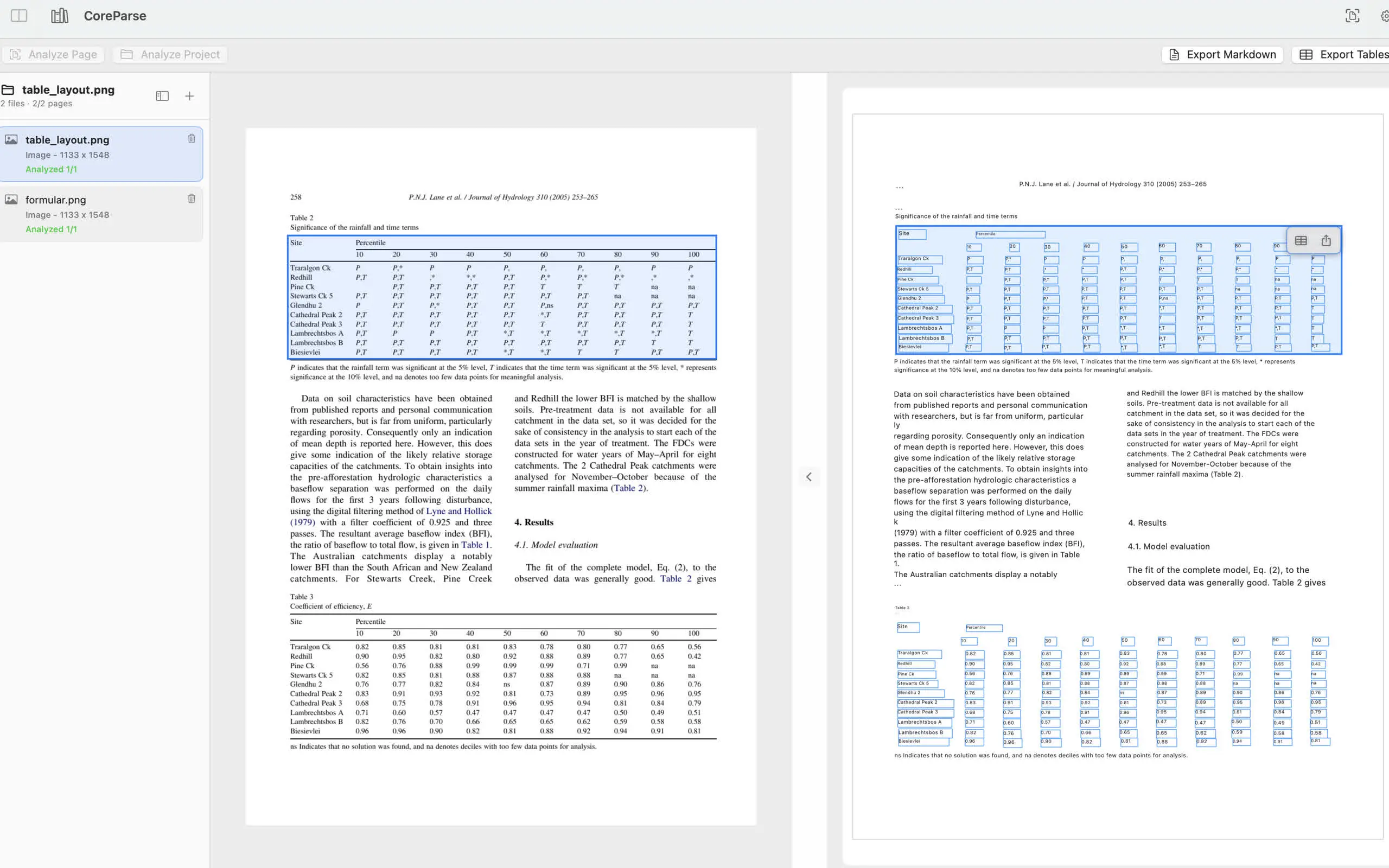
Tables are one of the hardest parts of PDF extraction. A PDF may look structured on screen, but the underlying file often does not store table cells the way a spreadsheet does.
That is why a good table extraction workflow needs both detection and review.
Why PDF tables are difficult
PDFs are designed for visual layout. The text you see may be positioned one fragment at a time. Lines, columns, and cell borders can be visual elements rather than spreadsheet structure.
Scanned PDFs add another layer: the table is just pixels until OCR identifies the text and layout.
Detect the table structure
CoreParse analyzes the page locally and identifies table regions and cells. This makes it possible to inspect the detected structure before exporting a table.
That review step matters because spreadsheet-ready data needs clean rows and columns, not just copied text.
Export only the table you need
For many workflows, you do not need to export the whole document. You need one table from one page. A focused export keeps the result easier to verify and easier to use in a spreadsheet.
Common use cases include:
- Financial tables
- Research result tables
- Invoices and order forms
- Lab reports
- Data copied from scanned PDFs
Keep sensitive tables local
Tables often contain private or business-sensitive data. Running extraction locally keeps the source file and recognized table data on your Mac, rather than uploading the PDF to a remote converter.
That makes local table extraction a practical default when accuracy, privacy, and review all matter.